28 September, 2024 by
mienpv
Start Building Mobile Apps with Kotlin Multiplatform Mobile (KMM)
Before starting to build a Mobile App using Kotlin Multiplatform Mobile, you should know what Kotlin Multiplatform Mobile is and the necessary tools (Xcode, JDK, Android Studio, Kotlin Multiplatform Mobile module,...) to start writing code.
1. Check your environment
For MacOS machines, you need to install and run KDoctor tool
In Terminal, type the command
brew install kdoctor
If you want to type the above command, you must also install Homebrew for the machine. (How to install at brew docs)
2. Create a new cross-platform application
Create Project from Template
-
Step 1: In Android Studio, select File | New | New Project.
-
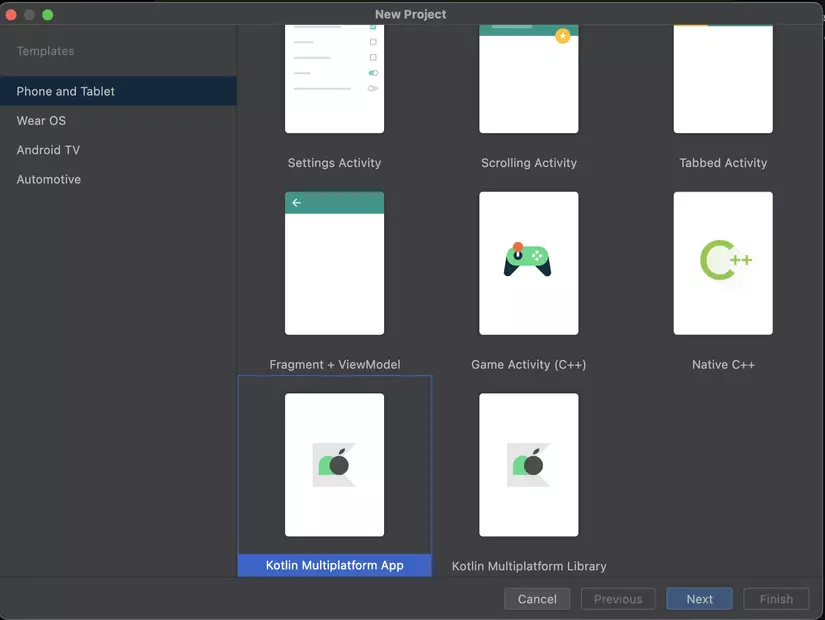
Step 2: Select Kotlin Multiplatform App from the list of templates, click Next.
 ''
'' -
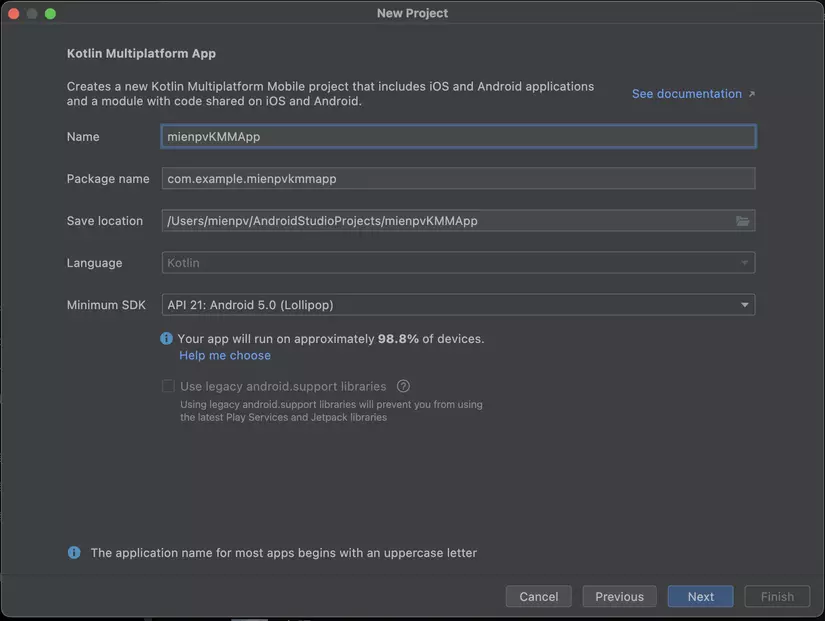
Step 3: Name the Project and continue to click Next.
 ''
'' -
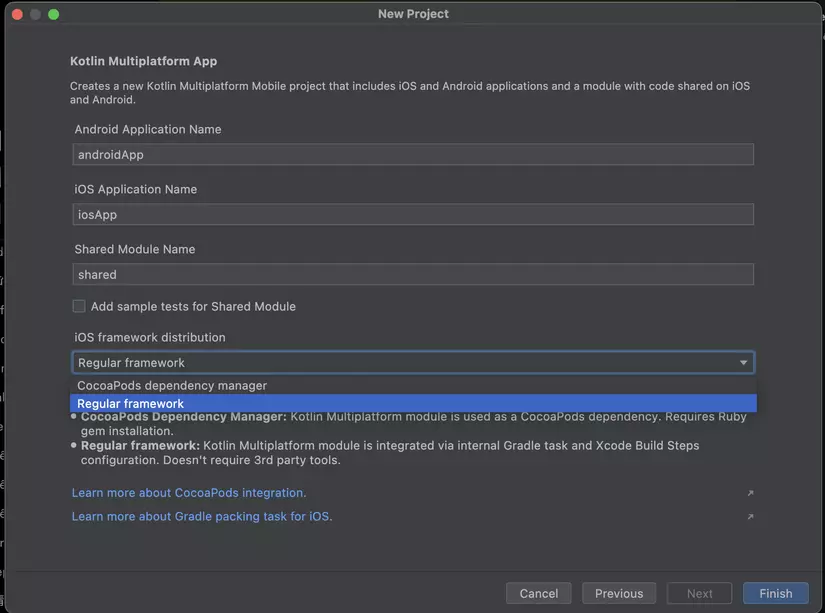
Step 4: At iOS framework distribution, select Regular framework. Android, iOS or Shared Name should be left as default.
 ''
'' -
Step 5: Click Finish.
Project will be installed automatically, it takes some time to download and set up the required components.
Take a look at the project structure
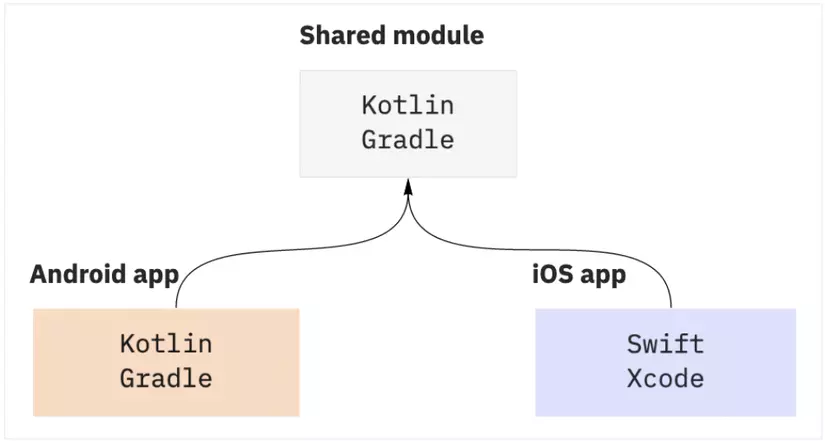
With each Kotlin Multiplatform Mobile project, there will be three main modules
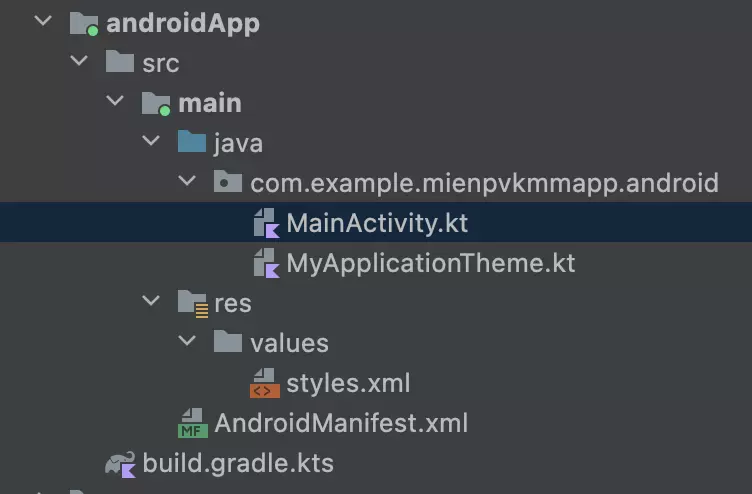
shared: Contains the shared code between Android and iOS. This Kotlin module contains common logic for both Android and iOS applications - which means that when you code in this shared section, it will run for both platforms. It uses Gradle as a construction system to help you automate your construction process. The shared module is integrated into the Android and iOS framework libraries.androidApp: Is a Kotlin Module integrated into an Android application. It uses Gradle as a construction system. The androidApp module depends on and uses the shared module as a regular Android library. Looking at the picture below, you will see that it is very familiar to those of you who often program Android.
 ''
''
iosApp: Is a Kotlin Module integrated into an iOS application. It uses Gradle as a construction system. The iosApp module depends on and uses the shared module as a regular iOS library.
Root project structure
 ''
''
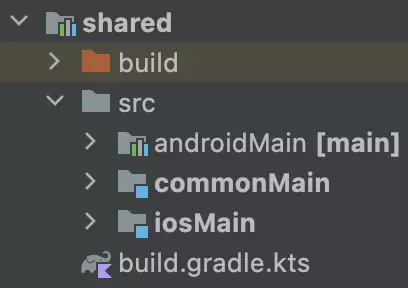
shared module Including three main source sets: androidMain, commonMain, and iosMain. In Kotlin Multiplatform, different sources in the shared module can be directed separately to different platforms.
 ''
''
3. Run the project
-
Create an Android virtual device (Android virtual device). How to create follow the instruction link: create adv
-
In this position, you select androidApp then click Run (Or ^R for MacOS, Ctrl + R for Windows)
 ''
'' -
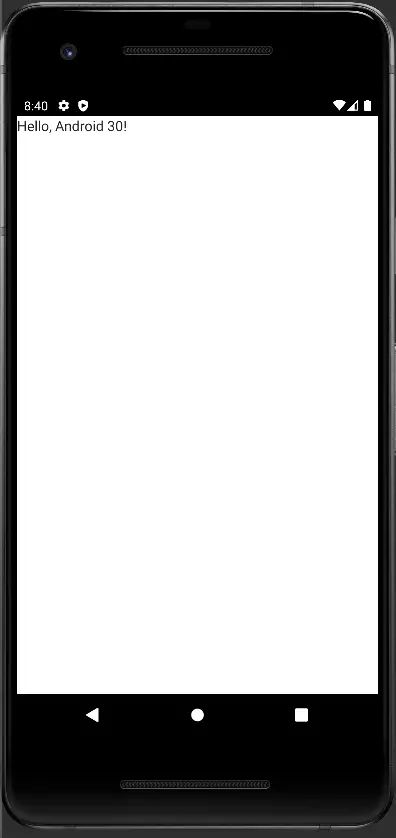
Result
 ''
''
Run App on iOS
-
Open XCode, the first time you build KMM, you need to agree to some of its terms and conditions.
-
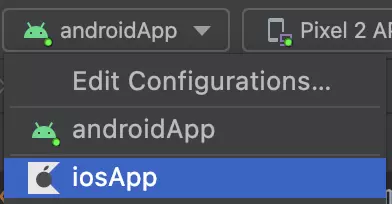
Now, instead of choosing Android App, you choose iosApp then click Run, wait a moment for it to build the necessary things.
 ''
'' -
Result
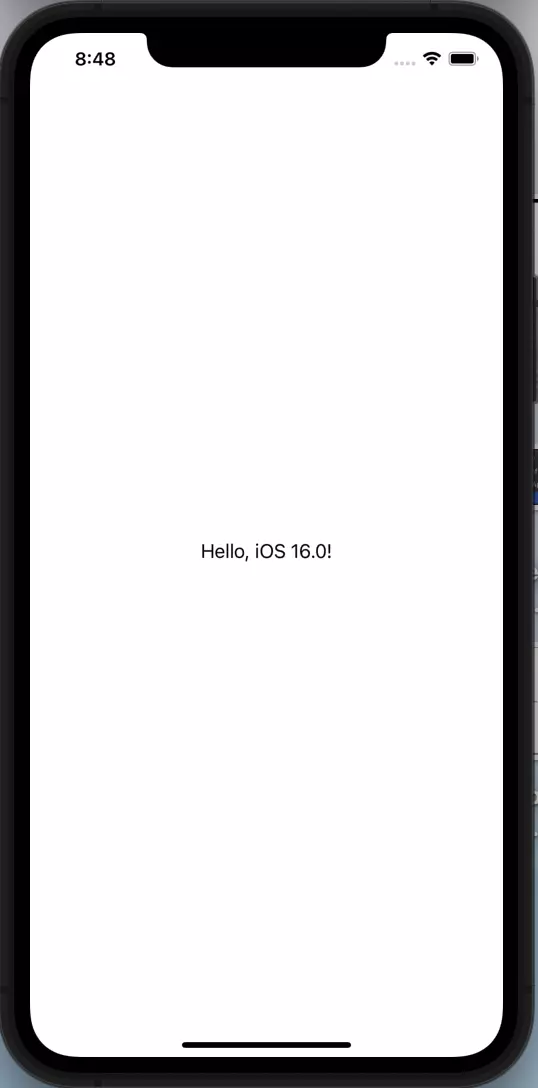 ''
''
4. Dev app
Open Greeting.kt file at shared/src/commonMain/kotlin. This folder contains shared code for both Android and iOS. You code anything in this file, it will run on both platforms.
Now re-run androidApp or iOSApp to see the results. I'm running the iOS app, androidApp also gives the same result.
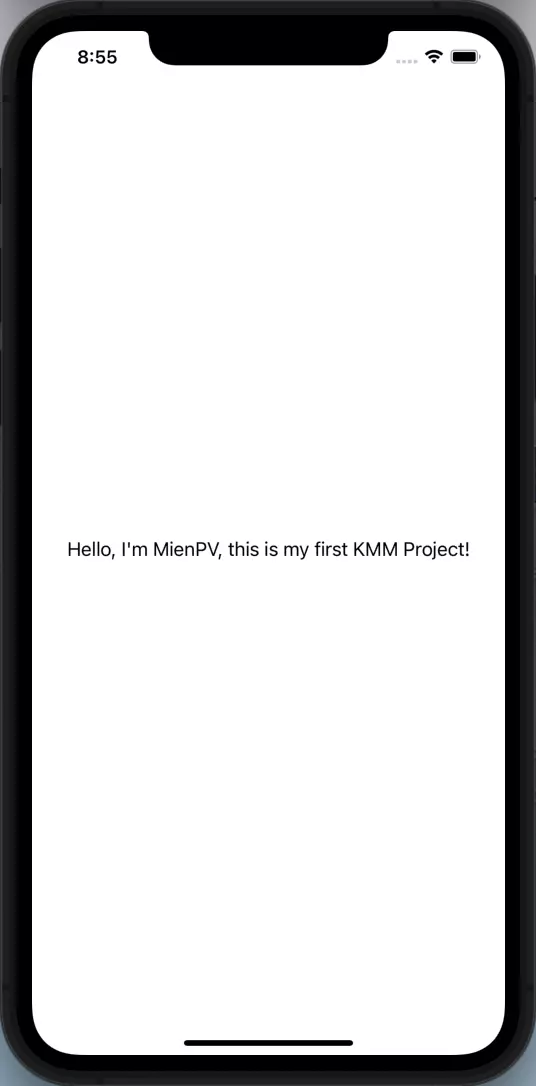 ''
''
Success!!!
So I have shown you how to successfully run a KMM project on both platforms, in the next articles I will go deeper such as adding dependencies, or upgrading my project.
Thank you for reading the article!